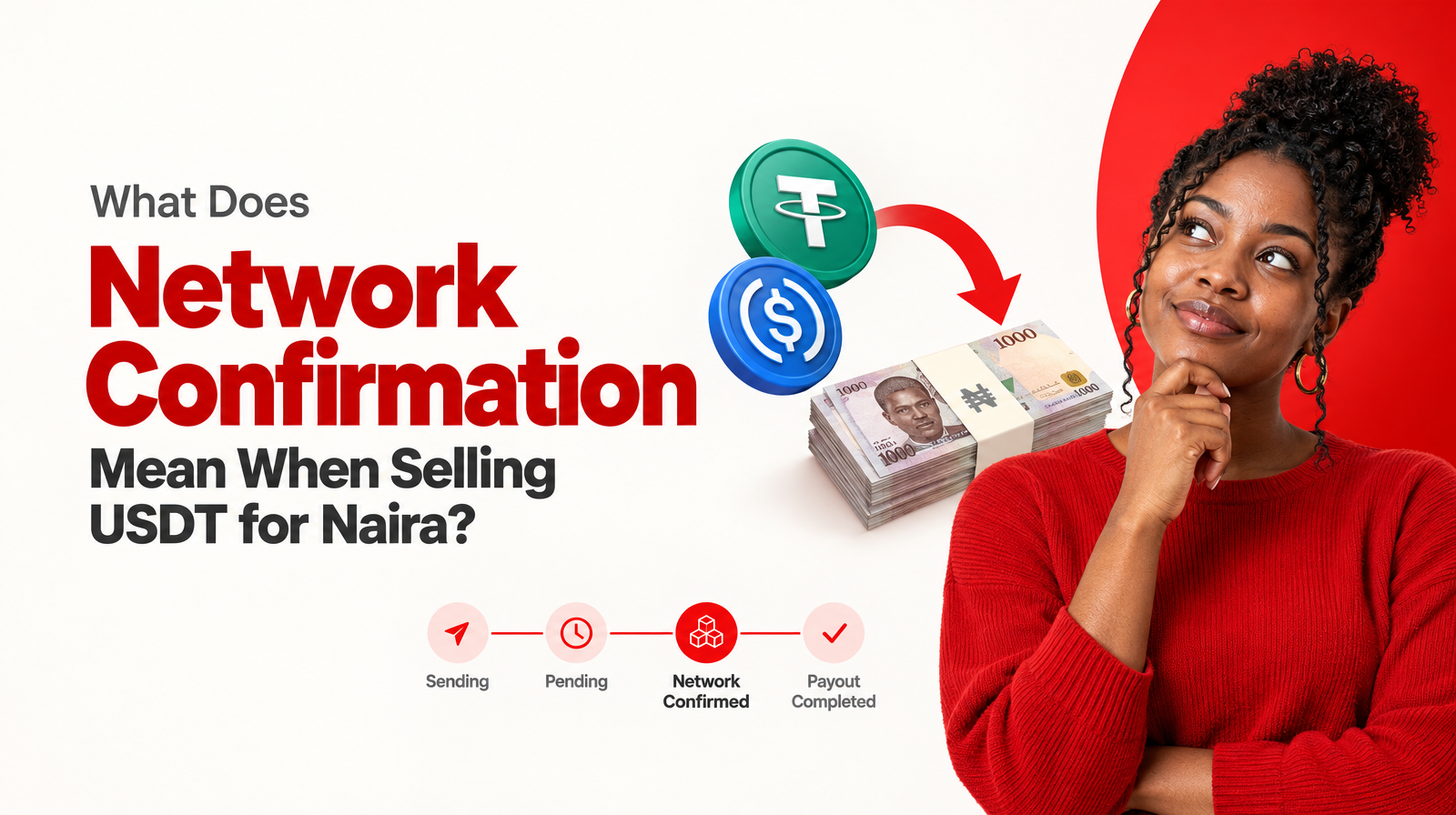
Network confirmation is the blockchain stage between sending USDT or USDC and receiving a Naira payout. It does not happen when you press “send” in your wallet. First, your wallet broadcasts the transaction to the relevant network. The network then processes the transfer, after which the transaction can be recognised as confirmed for the swap.
For Nigerians selling USDT or USDC for Naira through Muno, the usual sequence is:
- Review the quote, fees and payout details.
- Send the selected crypto from your wallet.
- Wait for the Solana network to confirm the transfer.
- Muno processes the Naira payout.
- The payout is sent to a supported Nigerian bank or neobank.
That distinction matters because a crypto transaction can be sent but still pending. A Naira payout generally follows network confirmation, not simply the moment you approve the transfer.
What is network confirmation in a crypto transaction?
A blockchain transaction passes through several stages after you approve it.
When you select USDT or USDC, enter the destination and confirm the transaction, your wallet submits the transfer to the network. The network then processes the transaction and records the relevant transfer information.
A network-confirmed transaction is one that has passed through the network’s confirmation process sufficiently for the next stage of the swap to proceed.
In practical terms, network confirmation answers this question:
Has the blockchain processed the crypto transfer that supports the next step of the swap?
It is separate from:
- Wallet approval: you authorised the transaction.
- Sending: your wallet broadcast the transaction.
- Pending: the transfer or swap is still being processed.
- Payout completed: the Naira has been sent to the selected payout destination.
The exact labels can vary between wallets and services. The important point is to distinguish the blockchain state from the service’s payout state.
Is sending USDT the same as network confirmation?
No. Sending is the action you take. Confirmation is a later network stage.
Imagine selling 100 USDC through Muno:
- You review the quote and approve the transaction in your wallet.
- Your wallet broadcasts the USDC transfer.
- The transaction appears as pending while the network processes it.
- The Solana network confirms the transfer.
- Muno can then proceed with the Naira payout according to the swap.
- The payout is completed when the Naira reaches the supported bank or neobank destination.
Pressing “send” does not mean the recipient or swap service has already received a confirmed transfer. It means the process has started.
This is also why sending a second transaction is usually not a sensible response to a pending status. A second transfer would be a separate transaction, not a way to force the first one to confirm.
Why does Muno wait for network confirmation before sending Naira?
Muno’s selling route connects a specific crypto transfer to a specific Naira payout. Waiting for network confirmation helps establish that the expected USDT or USDC transfer has been processed before the payout stage begins.
The sequence is therefore:
Crypto sent → network confirmed → Naira payout processed
This gives the transaction a clear order. Muno does not treat an unconfirmed wallet action as the same thing as a completed crypto deposit.
Muno’s website describes the selling process as:
- Get a live quote.
- Send the coins to the Solana deposit address generated for that swap.
- Receive Naira in a supported bank after the network confirms.
Muno is also non-custodial. Your crypto remains in your own wallet until you choose to send it for a swap. That makes it especially important to use the transaction details generated for the current swap and to understand what happens after you approve the transfer.
Pending, confirmed and payout completed: what is the difference?
These status words describe different points in the process.
| Status | What it generally means |
|---|---|
| Sent | You approved the transfer and your wallet broadcast it. |
| Pending | The blockchain transfer or swap is still being processed. |
| Network confirmed | The blockchain has processed the transfer sufficiently for the payout stage to proceed. |
| Payout processing | Muno is processing the Naira side of the confirmed swap. |
| Payout completed | The Naira payout has been sent to the supported bank or neobank destination. |
A confirmed blockchain transaction is not automatically the same as a completed bank payout. They are connected stages, but they are not identical.
For a more detailed explanation of service-side statuses, read USDT to Naira Payout Status: Pending vs Completed.
What should you check before sending USDT or USDC for Naira?
Confirmation cannot fix an incorrect asset, network or destination. The most useful checks happen before you approve the transaction.
1. Check the asset
Muno supports USDT and USDC. Confirm that the asset selected in your Muno swap matches the asset in your wallet.
USDT and USDC are both stablecoins, but that does not mean every version of either asset can be sent through every network. Check the exact asset shown in the current transaction.
2. Check the network
Muno currently supports USDT and USDC as SPL tokens on Solana.
Your wallet must be sending the selected asset through the supported Solana route. Do not rely only on the ticker symbol. The same asset name can appear across different networks, and choosing the wrong network can create a serious transfer issue.
For an explanation of the terminology, see What Does SPL Mean for USDT and USDC Swaps in Nigeria?.
3. Use the current deposit address
Muno creates a fresh deposit address for each swap. Use the address shown in the transaction you are completing now.
Avoid copying an address from:
- An earlier swap
- An old message
- A saved note
- A screenshot
- A different transaction
The address is transaction-specific, so check it immediately before sending.
4. Review the quote and fees
Before anything moves, review the quoted Naira amount and itemised fees. Muno’s quote can show details such as:
- Selected crypto asset
- Network
- Quoted rate
- Gross Naira value
- Network fee
- Service fee
- Expected amount received
The amount you receive should be understood from the full quote, not only from the headline rate. What Does a Crypto-to-Naira Quote Include? explains how to read these transaction details.
5. Confirm your payout destination
Check the Nigerian bank or neobank details connected to the swap. Muno supports payouts to eligible Nigerian bank and neobank destinations, but you remain responsible for confirming that the selected details are correct.
Muno’s website also describes authenticator 2FA on sign-in and payout changes. Keep your login details, private keys and authenticator codes private. Customer support should not require your private key or wallet recovery phrase.
Does network confirmation guarantee a fixed payout time?
No. Network confirmation is a required stage in the process, but it should not be treated as a universal guarantee that every payout will arrive at exactly the same time.
Muno describes Naira clearing to a supported bank at around 60 seconds after the network confirms the transaction. The starting point is important: this refers to the period after confirmation, not necessarily the moment you press “send.”
A completed payout can involve several distinct stages:
- Your wallet broadcasts the crypto transaction.
- The Solana network confirms it.
- Muno processes the Naira payout.
- The supported bank or neobank completes the credit.
The transaction, network and banking destination can affect the experience. Treat the stated timing as an indication of the intended process, not a fixed promise for every swap.
What should you do if your crypto transfer remains pending?
First, identify where the transaction is pending. It may be pending on the blockchain, pending within the Muno swap, or awaiting completion on the payout side.
Use this checklist:
- Open your wallet and check the transaction status.
- Confirm that you sent USDT or USDC, as selected.
- Confirm that you used the supported Solana network.
- Check that you used the deposit address for the current swap.
- Review the Muno status for the same transaction.
- Keep the transaction reference available.
- Do not send the crypto again simply because the first transfer is pending.
If the status does not update as expected, contact Muno’s dedicated customer support with the relevant swap and transaction information. Do not share your private key, recovery phrase, password or authenticator code.
Can a confirmed blockchain transaction be cancelled or reversed?
You should not treat an approved crypto transfer like a bank transfer that can simply be cancelled afterward.
Once you approve and broadcast a transaction, assume that it needs to be correct. Whether a transaction can be changed depends on the network and its current state, but a seller should not rely on being able to reverse an incorrect transfer.
Before sending, check:
- The asset is USDT or USDC as selected.
- The network is Solana.
- The token is being sent as an SPL token.
- The destination is the fresh address for the current Muno swap.
- The amount is correct.
- The quoted Naira payout and fees are acceptable.
- The supported Nigerian bank or neobank details are correct.
After sending, retain the transaction reference until the swap and payout are complete.
A practical pre-send checklist
Before selling USDT or USDC for Naira, pause for a final review:
- I selected the correct asset.
- I confirmed that the route is Solana.
- I confirmed that the token is supported as an SPL token.
- I am using the fresh deposit address for this swap.
- I reviewed the quoted Naira amount.
- I checked the network and service fees.
- I confirmed my Nigerian bank or neobank payout details.
- I understand that the payout follows network confirmation.
- I saved the transaction reference.
- I will not share my private key or authenticator code.
This short pause is more useful than relying on a screenshot that only says “sent.”
The main takeaway
Network confirmation is the blockchain stage between sending USDT or USDC and receiving a Naira payout. Sending the crypto starts the process; confirmation shows that the network has processed the transfer sufficiently for the next stage to proceed.
With Muno, the practical route is:
- Review the quote and fees.
- Confirm the asset, Solana network and current deposit address.
- Send USDT or USDC from your wallet.
- Wait for network confirmation.
- Receive the Naira payout through a supported Nigerian bank or neobank.
If you are ready to review a current USDT or USDC to Naira route, visit Muno.ng and check the quote, fees and payout details before confirming your swap.