
Confirming a USDT to Naira quote means you have reviewed the proposed transaction and chosen to proceed. It does not, by itself, mean that the crypto has already been sent, the Naira has already been paid, or the purchased USDT or USDC has already reached your wallet.
What happens next depends on whether you are selling USDT or USDC for Naira or buying USDT or USDC with Naira. In both cases, confirmation moves the transaction from the review stage to the instruction and verification stage.
With Muno, Nigerian traders can review the quoted rate, expected Naira outcome, network fee and service fee before confirming a supported swap. After confirmation, you still need to complete the action shown for your route: send the crypto for a sale or make the Naira payment for a purchase.
Confirmation is a change of transaction status
It helps to separate five events that are often treated as one:
- Reviewing the quote
- Confirming the transaction
- Sending crypto or paying Naira
- Network or payment verification
- Receiving the final payout or asset
The first two happen before the swap is completed. Confirmation tells Muno that you accept the displayed transaction details and want to continue. The next instructions then depend on the route you selected.
This distinction matters because confirming a quote does not mean that Muno has received your crypto or your Naira. A sale still requires a blockchain transfer. A purchase still requires a Naira payment.
What happens after confirming a USDT or USDC sale?
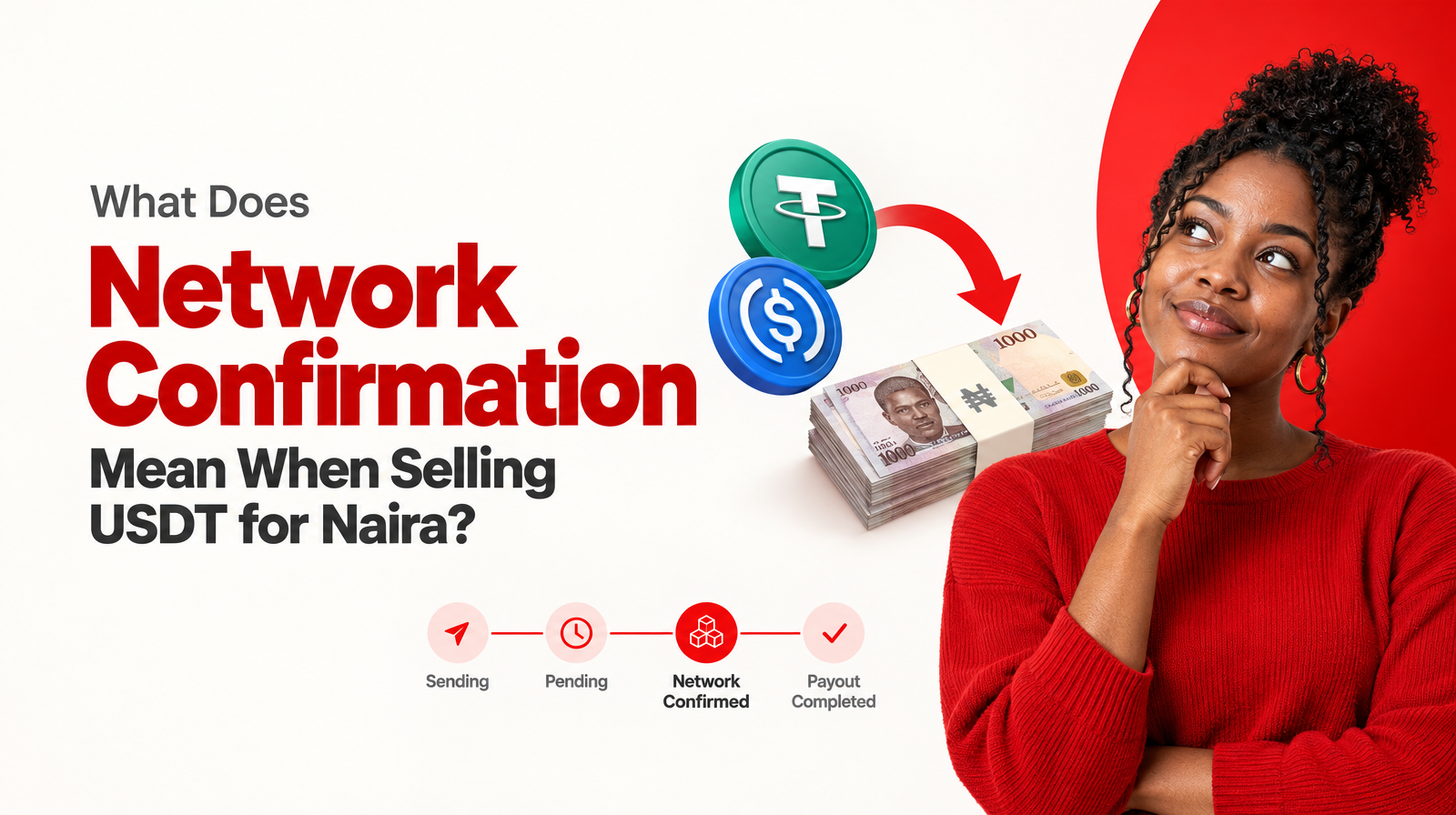
If you are selling USDT or USDC for Naira in Nigeria, the post-confirmation process generally follows this sequence:
- You review the quote and confirm the swap.
- Muno provides the instructions for that transaction.
- You send the specified USDT or USDC through the supported network.
- The blockchain transaction goes through network confirmation.
- Muno processes the Naira payout.
- The Naira is sent to your supported Nigerian bank or neobank destination.
1. You receive transaction-specific sending instructions
After confirming a sale, you need to follow the instructions generated for that swap. Muno’s website describes a fresh deposit address for each sale. The address is created for that particular transaction and has its own expiry.
That means you should not treat an old deposit address as a general Muno wallet address. Use the address and network shown for the current transaction, and check the asset and amount before approving the transfer in your wallet.
Muno supports USDT and USDC as SPL tokens on Solana. For a sale, the stablecoin in your wallet must match the supported asset and network shown in the transaction instructions.
2. You send the crypto from your own wallet
Muno operates on a non-custodial model. It does not maintain a general customer crypto balance where your coins sit waiting for a later withdrawal. Your crypto remains in your own wallet until you choose to send it for a swap.
After confirmation, the important user action is therefore the blockchain transfer from your wallet to the transaction-specific destination. Pressing the confirmation button is not the same as approving that wallet transfer.
Before sending, verify:
- The selected asset is USDT or USDC as intended.
- The network is Solana.
- The destination matches the current Muno transaction instructions.
- The amount is correct.
- The transaction has not expired.
- You understand the expected Naira payout and itemised fees.
Do not send a different token or use a different network simply because the asset name appears familiar in your wallet. The asset and network must match the instructions.
3. The network confirms the transfer
Once you send the crypto, the transaction must be recognised and confirmed on the Solana network. This is a separate stage from quote confirmation.
A wallet may show that a transfer has been submitted, but that does not necessarily mean the network confirmation stage is complete. Muno uses that network confirmation as part of the process before sending the Naira payout.
The timing can vary. Muno’s website describes the Naira clearing to a bank at around 60 seconds after network confirmation, but that is an approximate description, not a guarantee that every transaction will complete in exactly that time.
4. The Naira payout is sent
After the relevant network confirmation, Muno sends the Naira payout to a supported Nigerian bank or neobank destination. The destination must be one supported by the service and accurately connected to your account details.
The amount to expect is the amount shown in the quote after the displayed network fee and service fee. For that reason, review the final Naira outcome before confirming rather than relying only on the headline exchange rate.
What happens after confirming a USDT or USDC purchase?
Buying follows the opposite direction. You start with Naira and receive USDT or USDC in the wallet you provide.
The typical sequence is:
- You select USDT or USDC and enter the Naira amount.
- You review the quote, destination and fees.
- You confirm the purchase.
- Muno provides payment instructions for that specific purchase.
- You transfer the required Naira amount.
- Muno verifies the payment.
- The purchased crypto is delivered to your provided wallet.
You still need to make the Naira payment
Confirming the purchase does not mean that your bank has already transferred the Naira. You must complete the payment using the instructions shown for the transaction.
Muno’s website describes a one-time virtual account for a specific purchase rather than payment to an individual P2P seller. Always use the payment details generated for the current transaction and transfer the amount requested in those instructions.
A payment confirmation from your bank is also distinct from the earlier quote confirmation. The purchase cannot move to the delivery stage until the payment has been received and confirmed.
Purchased crypto is delivered to your own wallet
After payment confirmation, Muno delivers the purchased USDT or USDC to the wallet you provided. Muno supports these assets as SPL tokens on Solana, so your destination wallet must be able to receive the selected token on that network.
Before confirming a purchase, check:
- Whether you selected USDT or USDC.
- That your wallet supports the asset as an SPL token on Solana.
- That the wallet address or destination you provided is correct.
- The amount of crypto you are expected to receive.
- The Naira payment amount and any displayed fees.
- The payment instructions for this specific purchase.
The delivery destination is your provided wallet, not a general Muno balance. This is an important difference between confirming a purchase and receiving the crypto.
Does confirming a USDT to Naira quote send crypto immediately?
No. Confirming the quote does not automatically send crypto from your wallet.
For a sale, you still need to approve and broadcast the USDT or USDC transfer using your wallet. The network must then confirm that transfer before the Naira payout can be sent.
For a purchase, confirmation does not automatically debit your bank account. You still need to complete the Naira payment shown in the transaction instructions. The crypto is delivered after the payment is confirmed.
In short:
| Stage | What it means |
|---|---|
| Quote review | You see the proposed rate, outcome and fees |
| Quote confirmation | You choose to proceed with those transaction details |
| Crypto transfer | You send USDT or USDC for a sale |
| Naira payment | You pay for a purchase |
| Network confirmation | The blockchain transfer is confirmed |
| Payment confirmation | The Naira payment is verified |
| Final delivery | You receive Naira or crypto, depending on the route |
What should you check before confirming?
A careful review before confirmation reduces avoidable mistakes. Use this checklist for either route.
Check the direction
Make sure you selected the correct route:
- Buy: Naira goes out and USDT or USDC goes to your wallet.
- Sell: USDT or USDC leaves your wallet and Naira goes to your supported Nigerian bank or neobank.
Check the asset
Confirm whether the transaction is for USDT or USDC. Do not assume that selecting one stablecoin produces the same instructions or outcome as selecting the other.
Check the network
Muno supports USDT and USDC as SPL tokens on Solana. Confirm that your wallet and the transaction instructions use the supported Solana route.
Check the quoted outcome
Review the rate, expected Naira amount where applicable, network fee and service fee. For a sale, focus on the final amount you expect to receive after the displayed costs.
Check the destination
For a purchase, verify the wallet you provided. For a sale, verify the supported Nigerian bank or neobank destination connected to your payout details.
Check what you must do next
Do not confirm until you understand whether the next action is:
- Sending USDT or USDC from your wallet.
- Transferring Naira using a transaction-specific payment instruction.
- Waiting for network confirmation.
- Waiting for payment confirmation.
If the next instruction is unclear, pause rather than guessing.
What if you confirm but do not continue?
Confirmation and completion are separate stages. If you confirm a transaction but do not send the crypto or make the Naira payment, the swap may remain incomplete. Transaction instructions can also have time or expiry conditions, particularly where a fresh address or purchase-specific payment route is involved.
Do not reuse old instructions or send funds after a transaction has expired. Instead, review the current transaction status and use Muno’s dedicated customer support if you need help understanding what to do next.
How long does the process take?
Muno describes the payout as clearing to a bank around 60 seconds after network confirmation. This should be treated as an approximate website description rather than a fixed promise for every transaction.
The total time also depends on what happens before that point:
- How quickly you complete the crypto transfer or Naira payment.
- Whether the asset and network match the instructions.
- How quickly the network confirms a crypto transfer.
- Whether the payment details are correct.
- Whether the transaction requires further verification.
The useful point is that the approximate payout description begins after network confirmation. It does not mean that Naira reaches your bank 60 seconds after you first review or confirm a quote.
The key takeaway
After confirming a USDT to Naira quote with Muno, the transaction is not necessarily finished. Confirmation accepts the displayed route and moves you to the next required action.
For a sale, you send the supported USDT or USDC on Solana, wait for network confirmation, and then receive Naira through a supported Nigerian bank or neobank destination.
For a purchase, you make the required Naira payment using the transaction instructions, wait for payment confirmation, and receive the purchased USDT or USDC in the wallet you provided.
The safest habit is to treat confirmation as a clear checkpoint: verify the asset, network, fees, final outcome, destination and next instruction before you proceed.